What Is the 20-20-20 Rule?
The 20-20-20 rule is a simple habit for protecting your eyes during long stretches at a screen: every 20 minutes, look at something about 20 feet (6 metres) away for at least 20 seconds. Staring at a monitor or phone keeps your eyes locked at one close distance, and the muscles that focus your eyes stay tensed the whole time. Glancing into the distance lets those muscles relax and reminds you to blink, which is the eye 20-20-20 rule optometrists recommend for anyone who works on a computer all day.
How the 20-20-20 Timer Works
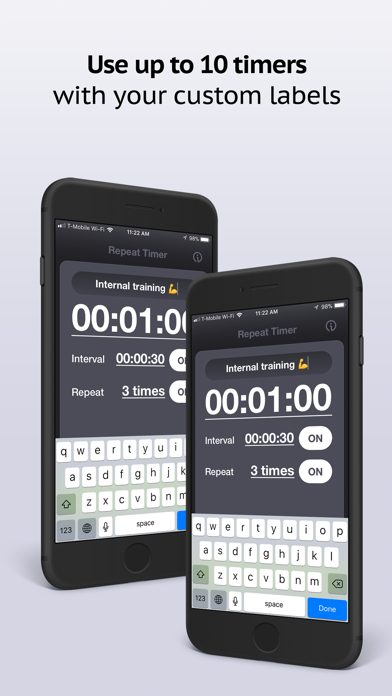
This 20-20-20 timer runs the rule for you so you never have to watch the clock. It counts down a 20 minute screen interval, then plays a chime and switches to a 20 second eye break that prompts you to look far away. When the break finishes it automatically starts the next 20 minute interval and keeps looping until you stop it. A running tally shows how many eye breaks you have taken during the session.
Using It as a 20-20-20 Timer App
You do not need to install anything — it runs in your browser on any device. Turn on desktop notifications and keep the tab open, and it behaves like a dedicated 20-20-20 timer app in the background: the moment a break begins you get a notification and the browser tab flashes "Look away," even while you are working in another window. On a phone or tablet you can add the page to your home screen for one-tap access.
Blink Timer for Dry Eyes
Staring at a screen makes you blink far less than normal, which is a big reason eyes feel dry and gritty by the afternoon. This doubles as a blink timer: each time it chimes, take your 20-second look into the distance and blink fully a few times to spread your tears and re-wet your eyes. Running it as a regular blink reminder — a nudge every 20 minutes to look away and blink — keeps your eyes more comfortable through a long day at the computer.
Why the 20-20-20 Rule Helps Your Eyes
Hours of uninterrupted screen time are the main cause of digital eye strain (also called computer vision syndrome), whose symptoms include tired or burning eyes, blurred vision, headaches, and a stiff neck. Two things drive it: your focusing muscles never get to relax, and you blink far less than normal while concentrating, which dries out the surface of your eye. The 20-20-20 rule tackles both — the distance gaze relaxes the focusing muscles, and the short pause naturally makes you blink and reset.
Who Should Use a 20-20-20 Timer
- Developers and office workers - Break up long coding or spreadsheet sessions without losing your flow
- Students - Study and revise for hours while giving your eyes regular micro-breaks
- Gamers - Keep your eyes fresh during long sessions and reduce end-of-day fatigue
- Designers and editors - Step back from close detail work at healthy intervals
- Remote workers - Add structure and eye care to back-to-back video calls
- Anyone with tired eyes - A gentle, automatic nudge to look up and blink
Tips for Sticking With It
- Pick a real object out a window or across the room to look at, so 20 feet is easy to judge
- Use the eye break to blink fully a few times and roll your shoulders back
- Keep desktop notifications on so a break still reaches you when the tab is hidden
- Pair it with good posture and a monitor about an arm's length away
- Adjust the screen interval to 30 or 60 minutes if 20 feels too frequent for your work