What Is an Hours Calculator?
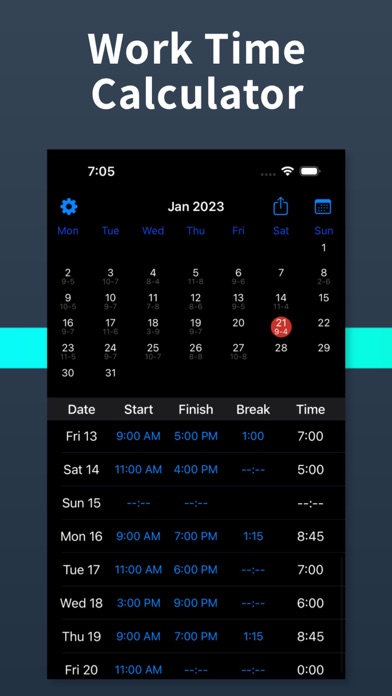
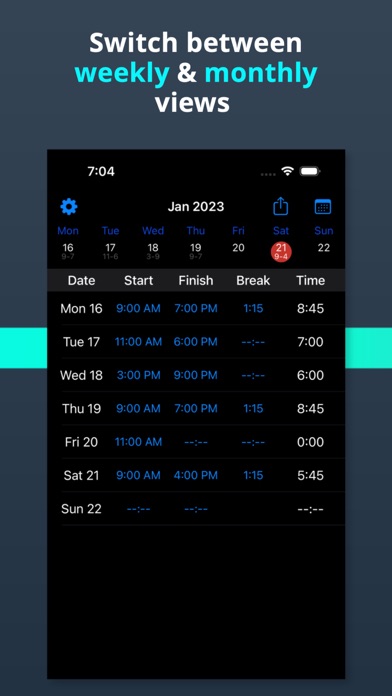
An hours calculator works out the number of hours between two times. You enter a start time and an end time, and it tells you how much time has passed, both as hours and minutes and as decimal hours. It is the fastest way to add up hours worked in a shift, the length of a meeting, or how long any task took, without counting on your fingers or reaching for a spreadsheet.
How to Calculate Hours Between Two Times
To find the hours between two times, you subtract the start from the end. Convert both times to the same 24-hour scale, subtract the start time from the end time, and you are left with the total duration. For example, from 9:00 AM to 5:00 PM is 8 hours before any break.
If the end time is earlier than the start time, the shift crosses midnight. In that case this hours calculator adds 24 hours so that a shift from 10:00 PM to 6:00 AM correctly returns 8 hours instead of a negative number. Once you have the raw duration, you subtract any break to get the true hours worked. A 30 minute lunch break taken during an 8 hour window leaves 7 hours 30 minutes of paid time.
Hours in Decimal vs Hours and Minutes
There are two common ways to express a duration. Hours and minutes reads naturally, such as 8 hours 30 minutes. Decimal hours expresses the same amount as a single number, so 8 hours 30 minutes becomes 8.5 decimal hours because 30 minutes is half of an hour. To convert minutes to decimal, divide the minutes by 60: 15 minutes is 0.25, 30 minutes is 0.50, and 45 minutes is 0.75.
Payroll systems almost always use decimal hours because you can multiply them directly by an hourly rate. That is why this calculator shows both formats at once, so you can read the friendly version and copy the decimal version into a timesheet or payroll app.
Calculating Work Hours and Pay
To calculate work hours, enter the time your shift started and the time it ended, then subtract any unpaid break. The result is your hours worked for that shift. If you add your hourly rate, the calculator multiplies the decimal hours by that rate to estimate your gross pay before taxes. For instance, 7.5 hours worked at 20 per hour comes to 150. Add up each day this way to build a weekly total for payroll.
Hours Calculator Tips
- Always use the AM/PM selectors so the tool knows whether an evening shift crosses midnight.
- Enter breaks in minutes; the calculator subtracts them from the total before showing hours worked.
- Use the decimal hours figure when entering time into payroll, invoicing, or billing software.
- For a shift that spans midnight, just enter the real clock times and let the tool handle the cross midnight math.
- Leave the hourly rate blank if you only need the duration and not a pay estimate.