Free Classroom Noise Level Monitor
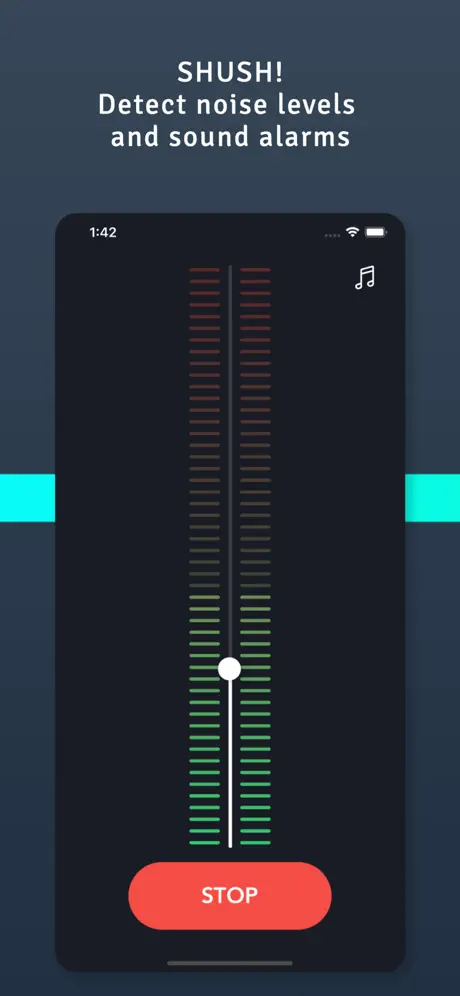
This classroom noise meter helps teachers and students visually monitor voice levels in real-time. The large color-coded display makes it easy for everyone to see when the room is getting too loud. Green means quiet and on-task, yellow is a warning, and red means it's time to lower voices.
How to Use
- Allow microphone access - Click "Enable Microphone" and grant permission
- Position your device - Place your computer or tablet where students can see the display
- Adjust sensitivity - Use the threshold sliders to match your classroom environment
- Go fullscreen - Click the fullscreen button for maximum visibility
- Monitor noise levels - The display changes color based on classroom volume
Understanding the Colors
- Green - Quiet and appropriate noise level for focused work
- Yellow - Warning level, voices are getting louder
- Red - Too loud! Time to use quieter voices
Best Uses
- Independent work time - Keep the room quiet during tests or reading
- Group activities - Allow some noise but prevent shouting
- Transitions - Help students move quietly between activities
- Libraries & study halls - Maintain appropriate noise levels
- Special needs classrooms - Visual feedback for sensory-sensitive students
Tips for Teachers
- Introduce the meter at the start of class and explain what each color means
- Set clear expectations about acceptable noise levels for different activities
- Adjust thresholds based on the activity (stricter for tests, more lenient for group work)
- Use the fullscreen mode and project onto a smartboard for whole-class visibility
- Consider gamifying it with rewards for maintaining green levels
Privacy Note
This noise meter processes audio entirely in your browser. No sound is recorded, stored, or transmitted anywhere. The microphone is only used to measure volume levels in real-time.